Do Recruiters Care If You Use an AI Headshot on LinkedIn?
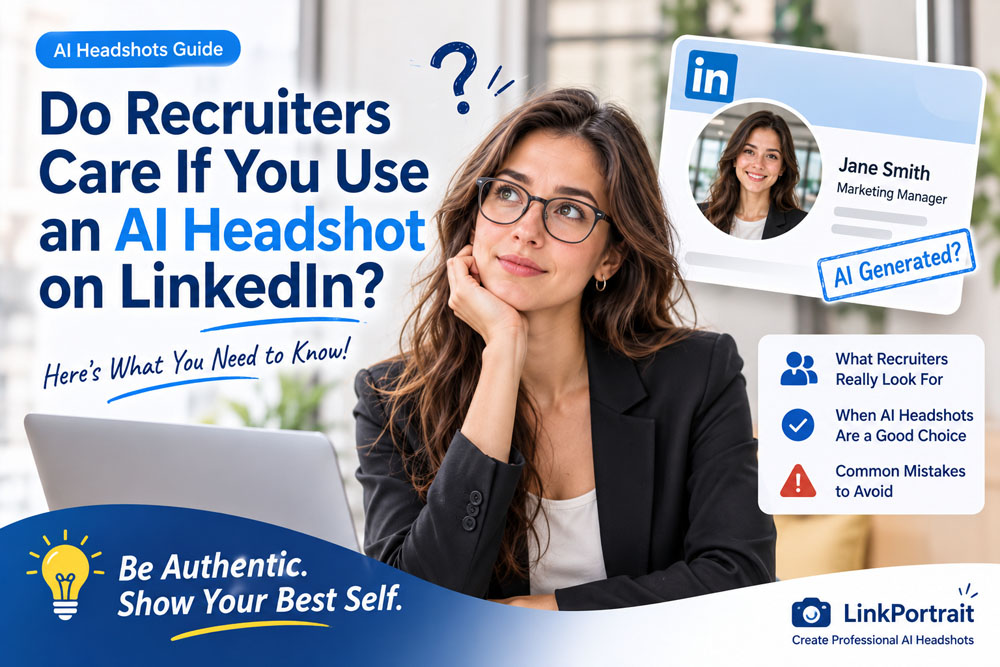
Your LinkedIn profile photo is often one of the first things people notice when they visit your profile. Whether you're actively looking for a job, building your professional network, or trying to establish your personal brand, a professional-looking headshot can help create a positive first impression.
But what if your profile photo was created with artificial intelligence?
AI headshot generators have made it easier than ever to turn an ordinary selfie into a polished professional portrait. You no longer need to book a photographer, visit a studio, or spend a significant amount of money to get a business-ready photo.
However, one question remains: Do recruiters care if you use an AI headshot on LinkedIn?
The short answer is that most recruiters are more likely to care about whether your photo looks professional, authentic, and appropriate than whether AI was involved in creating it. But there are important exceptions.
Let's explore what recruiters may actually notice, when an AI headshot is a good choice, and how to make sure your LinkedIn photo helps rather than hurts your professional image.
1. Do Recruiters Actually Care About AI-Generated LinkedIn Photos?
In most situations, recruiters are not evaluating your photo based on the technology used to create it. They are looking at your overall professional presentation.
A LinkedIn headshot generally serves three purposes:
It helps people recognize you.
It makes your profile feel more complete and approachable.
It supports the professional impression you want to communicate.
A well-made AI headshot can achieve these goals. If it looks like you, has natural facial details, and uses appropriate clothing and lighting, it may be difficult for someone viewing your profile to know whether it came from a traditional photo session or an AI tool.
However, an AI-generated image can become a problem when it changes your appearance too much.
For example, imagine a recruiter meeting you for the first time after reviewing your LinkedIn profile. If your profile photo shows a significantly different face, age, hairstyle, or overall appearance, the difference may create unnecessary confusion.
The key principle is simple:
An AI headshot should improve the presentation of your real appearance, not create a different identity.
2. What Recruiters Look for in a LinkedIn Profile Photo
Recruiters have different preferences depending on the industry, company culture, and position. There is no single photo style that works for every professional.
Still, several qualities generally help a LinkedIn headshot look suitable for a professional profile.
A recognizable and realistic appearance
Your photo should look like the person who will appear in an interview.
Avoid AI-generated portraits that dramatically change your facial structure, skin tone, age, or other recognizable features.
A little improvement in lighting and image quality is reasonable. A completely transformed appearance is not.
Professional but natural clothing
Your outfit should match the expectations of your industry.
For example:
Corporate and finance: Business suits, blazers, and formal shirts.
Technology and startups: Smart casual clothing or simple business attire.
Healthcare: Professional clothing appropriate for your role.
Education: Friendly, approachable, and polished outfits.
Creative industries: Professional clothing that still reflects your personality.
The goal is not to make everyone look identical. Your photo should communicate that you understand the professional environment you work in.
Appropriate lighting and background
Good lighting can make a significant difference.
A clean background, balanced exposure, and natural-looking shadows help create a polished image without making it look overly edited.
Neutral gray, soft beige, light office environments, and subtle outdoor backgrounds can all work well depending on your profession.
A friendly and confident expression
A natural expression can make your profile feel more approachable.
You do not necessarily need a big smile. A relaxed expression, comfortable posture, and direct eye contact are often enough.
Be careful with AI-generated expressions that look exaggerated, artificial, or inconsistent with your real personality.
3. When an AI Headshot Can Help Your LinkedIn Profile
AI headshots can be especially useful for people who do not currently have access to a professional photographer.
Here are several situations where they can make sense.
You're a recent graduate
Many graduates create LinkedIn profiles before they have entered the professional world.
You may have plenty of casual photos but no suitable headshot for job applications, internships, or networking.
An AI headshot can help turn a suitable selfie into a more polished professional portrait without requiring an expensive photoshoot.
You're changing careers
Career changers often need to update their LinkedIn profiles to reflect a new professional direction.
For example, someone moving from retail into business development may want a more corporate-looking profile photo.
An AI headshot can help create a consistent professional presentation while keeping the person's actual appearance recognizable.
You're working remotely
Remote professionals may not have regular access to company photography sessions.
If you work from home or collaborate with international teams, an AI-generated headshot can provide a convenient way to update your profile.
You're building a personal brand
Entrepreneurs, consultants, freelancers, and independent professionals often use their LinkedIn photos across multiple platforms.
A consistent professional portrait can help maintain a recognizable identity on LinkedIn, personal websites, business profiles, and email signatures.
Your current photo is outdated
If your LinkedIn photo is several years old, it may no longer represent your current appearance.
An AI headshot can be a convenient way to create an updated portrait from a recent, accurate selfie.
The important thing is to make sure the result still looks like you today.
4. When an AI Headshot Could Hurt Your Professional Image
Not every AI-generated portrait is suitable for LinkedIn.
Some images may look impressive as standalone pictures but feel unnatural when used in a professional setting.
Here are common mistakes to avoid.
1. Changing your face too much
This is one of the biggest risks.
Some AI tools can make your face look slimmer, change your jawline, enlarge your eyes, alter your skin tone, or create an appearance that is noticeably different from reality.
A professional headshot should make you look like the best-presented version of yourself, not like someone else.
2. Using an overly perfect AI appearance
Extremely smooth skin, unnatural facial symmetry, unrealistic eyes, and artificial lighting can make a portrait look computer-generated.
A little natural texture and realistic detail can make a photo feel more trustworthy.
3. Choosing an inappropriate background
A dramatic luxury office, unrealistic corporate boardroom, or overly elaborate background may distract from your face.
For most LinkedIn profiles, a simple and believable background is a safer choice.
4. Wearing clothing that doesn't match your profession
An AI generator might place you in a formal suit, even if that style does not fit your industry or professional identity.
Choose clothing that reflects the expectations of your target role.
5. Using a photo that doesn't match your current appearance
Your LinkedIn photo should help people recognize you.
If you have changed your hairstyle, facial hair, or overall appearance significantly, use a recent reference photo when generating your AI headshot.
5. AI Headshots vs. Traditional Professional Photography
Is an AI headshot better than hiring a professional photographer?
Not necessarily. Both options have advantages.
| Factor | AI Headshot | Traditional Photography |
|---|---|---|
| Cost | Often more affordable | Usually more expensive |
| Convenience | Can be created online | Requires scheduling |
| Time | Usually faster | May take longer |
| Style options | Many styles and backgrounds | Depends on the photographer and session |
| Personal direction | Depends on the tool and input photos | Photographer can guide poses and expressions |
| Authenticity | Depends on how accurately the AI preserves your appearance | Captures your appearance directly |
| Best for | Quick, affordable profile updates | Personalized portraits and important branding needs |
For someone who simply needs a clean, professional LinkedIn photo, an AI headshot may be a practical option.
For executives, public-facing professionals, company leadership teams, or people who need highly personalized brand photography, a traditional photoshoot may still be worth the investment.
The best choice depends on your budget, goals, and how important a custom photography experience is to you.
6. How to Create an AI Headshot That Recruiters Will Take Seriously
If you decide to use an AI-generated LinkedIn photo, the quality of your reference images and the style you choose matter.
Follow these steps to get a more natural result.
Step 1: Start with a clear, recent selfie
Your reference photo should show your face clearly.
For better results:
Use a recent photo.
Face the camera or look slightly toward it.
Choose natural lighting.
Avoid heavy filters.
Make sure your face is not covered by sunglasses or accessories.
Use a photo where your facial features are clearly visible.
You do not need a professional camera. A clear smartphone photo can be a useful starting point.
Step 2: Choose a professional style that fits your industry
Think about the impression you want your LinkedIn profile to communicate.
A corporate professional may prefer a classic blazer and neutral background. A software developer might choose a smart casual look. A healthcare professional may prefer a clean, approachable portrait.
Avoid choosing a style simply because it looks fashionable. The best style is one that fits your professional identity.
Step 3: Keep your facial features consistent
This is the most important step.
Review the generated image carefully:
Does the face still look like you?
Are your eyes, nose, and facial structure realistic?
Does your hairstyle look believable?
Does the image reflect your current appearance?
Would someone who knows you recognize you immediately?
If the answer is no, try another result or use a better reference photo.
Step 4: Choose a simple background
For LinkedIn, your face should remain the main focus.
Good options include:
Soft gray studio background.
Light beige professional background.
Subtle modern office background.
Clean white background.
Softly blurred workspace.
A simple background usually makes your profile photo easier to recognize at a small size.
Step 5: Check the final image on LinkedIn
Before uploading, preview your image as a small circular profile photo.
Make sure your face is centered, your head and shoulders are visible, and the image remains clear when cropped.
A portrait that looks excellent in a large preview may not work as well inside LinkedIn's small profile-photo circle.
7. Should You Tell Recruiters That Your LinkedIn Photo Is AI-Generated?
For an ordinary professional headshot, there is generally no reason to add a special disclosure to your LinkedIn headline or About section simply because AI helped produce the image.
However, honesty still matters.
If someone directly asks whether your photo is AI-generated, answer truthfully.
More importantly, do not use an AI portrait to misrepresent your identity, qualifications, professional experience, or appearance in a misleading way.
There is also a difference between using AI to improve a portrait and creating a fictional professional identity.
Using AI to generate a polished version of your real appearance is one thing. Using a completely fictional face to represent yourself is another.
If your profession depends heavily on personal trust, in-person recognition, or public credibility, authenticity deserves even more attention.
8. What Is the Best AI Headshot Style for LinkedIn?
The right style depends on your industry and the impression you want to create.
Here are some practical options.
Corporate Business Headshot
Best for:
Finance professionals.
Business consultants.
Managers.
Corporate employees.
Business development professionals.
Recommended look: A professional blazer or suit, neutral background, balanced studio lighting, and a confident expression.
Modern Business Casual Headshot
Best for:
Software developers.
Startup employees.
Marketing professionals.
Product managers.
Remote workers.
Recommended look: Smart casual clothing, a natural expression, and a clean office-style background.
Friendly Professional Headshot
Best for:
Teachers.
Healthcare professionals.
Customer success specialists.
Human resources professionals.
Coaches and consultants.
Recommended look: Natural lighting, approachable expression, simple clothing, and a soft background.
Executive Headshot
Best for:
Company founders.
Senior managers.
Directors.
Executives.
Business owners.
Recommended look: Refined business attire, subtle background, professional lighting, and a confident but natural expression.
Whatever style you choose, avoid making the image look dramatically different from your real appearance.
9. Create a Professional LinkedIn Headshot with LinkPortrait
You don't need to arrange a studio photoshoot to get started with a more professional LinkedIn profile photo.
With LinkPortrait, you can use your own photo as a starting point and explore AI-generated portrait styles designed for different professional and personal needs.
A simple workflow is:
Upload a clear selfie.
Choose a professional headshot style.
Generate your portrait.
Review the results and select the image that looks most like you.
Download your preferred image and use it on LinkedIn or other professional platforms.
Whether you need a corporate headshot, a business casual portrait, or a polished professional profile photo, LinkPortrait can help you explore different looks without arranging a traditional photoshoot.
Create a professional AI headshot with LinkPortrait and give your LinkedIn profile a more polished, confident appearance.
Remember: The goal is not to look like a different person. It is to present the real you in the best possible light.
10. Final Verdict: Do Recruiters Care If You Use an AI Headshot?
So, do recruiters care if you use an AI headshot on LinkedIn?
In many cases, the answer is less about whether AI was used and more about the final result.
A professional AI headshot can be a reasonable choice if it:
Looks like your real appearance.
Uses natural facial details and lighting.
Matches your industry and professional identity.
Avoids excessive retouching.
Helps people recognize you.
On the other hand, an unrealistic portrait that changes your identity or creates a misleading impression may work against you.
Your LinkedIn photo is only one part of your professional profile. Your experience, skills, career history, recommendations, and communication still matter far more.
Use AI as a tool to improve your presentation, not to create a false impression.
A good LinkedIn headshot doesn't need to look perfect. It needs to look professional, approachable, and genuinely like you.
Frequently Asked Questions
Can recruiters tell if a LinkedIn headshot is AI-generated?
Sometimes. AI-generated portraits may contain unnatural skin texture, unusual details, inconsistent lighting, or overly perfect facial features. However, a carefully generated image may not be immediately distinguishable from a professionally edited photograph. There is no reliable way to assume every recruiter can or cannot identify AI-generated images.
Is it unprofessional to use an AI headshot on LinkedIn?
Not automatically. An AI-generated photo can look professional if it accurately represents your appearance and suits your industry. The important factors are authenticity, quality, and appropriateness.
Should I use an AI headshot for job applications?
You can use an AI headshot on your LinkedIn profile or other professional platforms if it looks like you. For formal application materials, follow the employer's instructions and any specific requirements for photographs.
Can I use an AI headshot if I don't have professional photos?
Yes. A clear, recent selfie can be a useful starting point for generating a professional-looking portrait. Choose a tool that preserves your recognizable facial features.
What is the best background for a LinkedIn AI headshot?
Neutral studio backgrounds, soft gray, light beige, and subtle office backgrounds are practical choices. The background should complement your portrait rather than distract from your face.
Should my LinkedIn photo look exactly like me?
Yes, it should remain a recognizable representation of your current appearance. Professional lighting and styling are fine, but avoid major changes to your facial features or overall identity.
Are AI headshots acceptable for senior professionals?
They can be, provided the result is realistic and appropriate for the person's role. Senior professionals who rely heavily on personal branding or public recognition may prefer a traditional photoshoot for more control over the final image.