5 Best Free AI Headshot Generators With No Sign-Up Required (Tested in 2026)
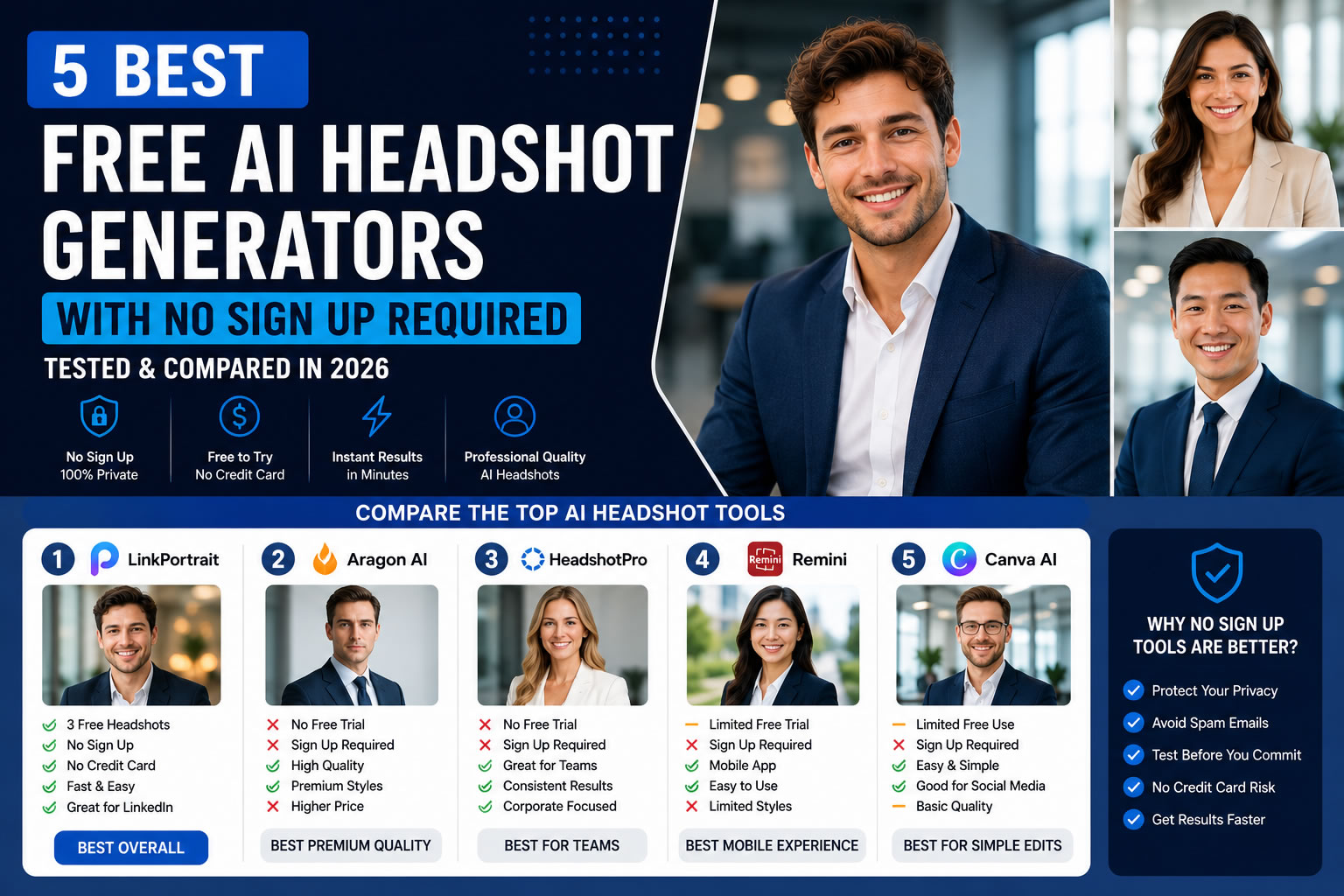
Finding a professional headshot used to mean booking a photographer, visiting a studio, and spending hundreds of dollars. Today, AI headshot generators can transform a few selfies into polished business portraits in minutes.
However, there is one problem many users quickly discover.
Most AI headshot tools require you to create an account before you can even see the quality of the results. Some ask you to sign in with Google, verify your email, or even enter payment information before generating a single image.
If you simply want to test an AI headshot generator without sharing your personal information, this guide is for you.
We researched and compared some of the most popular AI headshot tools available in 2026, focusing on platforms that are easy to try and suitable for professional use.
Whether you need a LinkedIn profile photo, a resume headshot, a company portrait, or a personal branding image, this comparison will help you choose the right tool.
How We Evaluated These AI Headshot Generators
To make this comparison as practical as possible, we looked at each platform using the same criteria.
We evaluated:
- Image realism
- Facial consistency
- Ease of use
- Sign-up requirements
- Free trial availability
- Generation speed
- Professional style options
- Value for money
- Privacy and user experience
Instead of focusing only on image quality, we also considered how easy it is for a new user to test the service.
Quick Comparison
| Tool | Free Trial | Sign-Up Required | Best For |
|---|---|---|---|
| LinkPortrait | ✅ 3 Free Photos | ❌ No | LinkedIn, Business, Professional Headshots |
| Aragon AI | ❌ | ✅ Yes | Premium Corporate Portraits |
| HeadshotPro | ❌ | ✅ Yes | Company Teams |
| Remini | Limited | ✅ Yes | Mobile Users |
| Canva AI | Limited | ✅ Yes | Simple Social Media Portraits |
1. LinkPortrait — Best Overall for Privacy and Instant Access
If your goal is to create professional AI headshots without creating an account first, LinkPortrait is one of the most user-friendly options available.
Unlike many competitors, LinkPortrait allows visitors to upload selfies and experience the quality before asking them to register.
That creates a much smoother experience, especially for first-time users who simply want to see whether AI headshots meet their expectations.
Pros
- 3 free AI headshots
- No registration required
- No credit card required
- Fast image generation
- Multiple business styles
- Excellent for LinkedIn
- Professional lighting and realistic facial details
Cons
- Free generations are limited
- Premium styles require payment
Best For
- Job seekers
- LinkedIn users
- Freelancers
- Small business owners
- Professionals building a personal brand
If convenience and privacy matter to you, LinkPortrait provides one of the easiest ways to experience AI headshots.
2. Aragon AI — Best Premium Image Quality
Aragon AI has become one of the best-known names in the AI headshot industry.
Its image quality is excellent, especially for formal corporate portraits.
The platform produces realistic clothing, clean studio backgrounds, and polished business photos.
However, there is one drawback.
You cannot test the platform before creating an account and purchasing a plan.
Pros
- Excellent realism
- Premium corporate style
- Strong facial consistency
- High-resolution downloads
Cons
- No free trial
- Registration required
- Higher price
Best For
Professionals looking for premium-quality executive portraits.
3. HeadshotPro — Best for Company Teams
HeadshotPro focuses primarily on businesses.
Instead of creating a single profile photo, companies can generate consistent employee headshots for entire teams.
This is especially useful for businesses with remote employees located in different cities.
Pros
- Team consistency
- Corporate branding
- Large style library
- Professional business backgrounds
Cons
- No free version
- Requires registration
- Less suitable for casual users
Best For
Companies, startups, and HR departments.
4. Remini — Best Mobile Experience
Remini became popular because of its AI photo enhancement technology.
Over time, the app expanded into AI portraits and profile photos.
The mobile experience is simple and convenient.
However, users must install the app and create an account before accessing most features.
Pros
- Excellent mobile experience
- Easy to use
- Fast processing
Cons
- Limited desktop workflow
- Registration required
- Limited professional business styles
Best For
Users who prefer creating portraits directly on their smartphone.
5. Canva AI — Best for Simple Design Workflows
Many professionals already use Canva for presentations, resumes, and social media graphics.
Its AI image tools make it possible to generate portraits without leaving the design platform.
While Canva is not a dedicated AI headshot generator, it can be useful for simple profile pictures and creative projects.
Pros
- Integrated with Canva projects
- Easy to use
- Great for content creators
Cons
- Limited realism compared to dedicated AI headshot tools
- Requires Canva account
Best For
Designers, marketers, and social media creators.
Which AI Headshot Generator Is Best?
The answer depends on your goals.
Choose LinkPortrait if:
- You want to try AI headshots immediately.
- You prefer not to register first.
- You need professional LinkedIn photos.
- You want business portraits without studio costs.
Choose Aragon AI if:
- You want premium executive portraits.
- Budget is not your primary concern.
Choose HeadshotPro if:
- Your company needs matching employee photos.
Choose Remini if:
- You mainly edit photos on your phone.
Choose Canva AI if:
- You already use Canva for daily design work.
Are Free AI Headshot Generators Worth Using?
Absolutely.
Free AI headshot generators allow users to understand the technology before making a purchase.
However, it is important to remember that free plans usually include:
- Limited generations
- Fewer style options
- Lower download limits
If you need professional branding photos for business purposes, upgrading to a paid plan often unlocks significantly more customization.
Frequently Asked Questions
What is an AI headshot generator?
An AI headshot generator uses artificial intelligence to transform ordinary selfies into professional-looking portraits suitable for LinkedIn, resumes, websites, and business profiles.
Can I use AI headshots on LinkedIn?
Yes.
Many professionals use AI-generated headshots as their LinkedIn profile photos, provided the image accurately represents their appearance.
Are AI headshots safe?
Most reputable AI platforms explain how uploaded images are processed and stored.
Before uploading personal photos, always review the platform's privacy policy and terms of service.
Do all AI headshot generators require registration?
No.
Some platforms allow visitors to test their services without creating an account, while others require email registration or payment before image generation.
Can AI replace professional photographers?
For many digital use cases—such as LinkedIn, resumes, company websites, and online portfolios—AI headshots provide an excellent balance of quality, speed, and affordability.
For luxury branding, large advertising campaigns, or editorial photography, professional photographers still offer unique creative advantages.
Final Thoughts
AI headshot generators have made professional portraits faster, more affordable, and more accessible than ever before.
If your priority is testing the technology quickly without creating another online account, choosing a platform with a genuine no-sign-up experience can save both time and frustration.
Among the tools compared in this guide, LinkPortrait stands out for its privacy-friendly approach, instant access, and professional-quality business portraits.
Whether you're updating your LinkedIn profile, preparing for your next job application, or building your personal brand, AI headshots have become a practical solution for creating a polished first impression.
Create Your Free AI Headshots Today
Want to see how professional your selfies can look?
Try LinkPortrait and generate 3 free AI headshots with no sign-up and no credit card required.
Create professional LinkedIn, business, and personal branding photos in just a few minutes.
Generate My Professional Headshots>>